By Aescripts · Official page
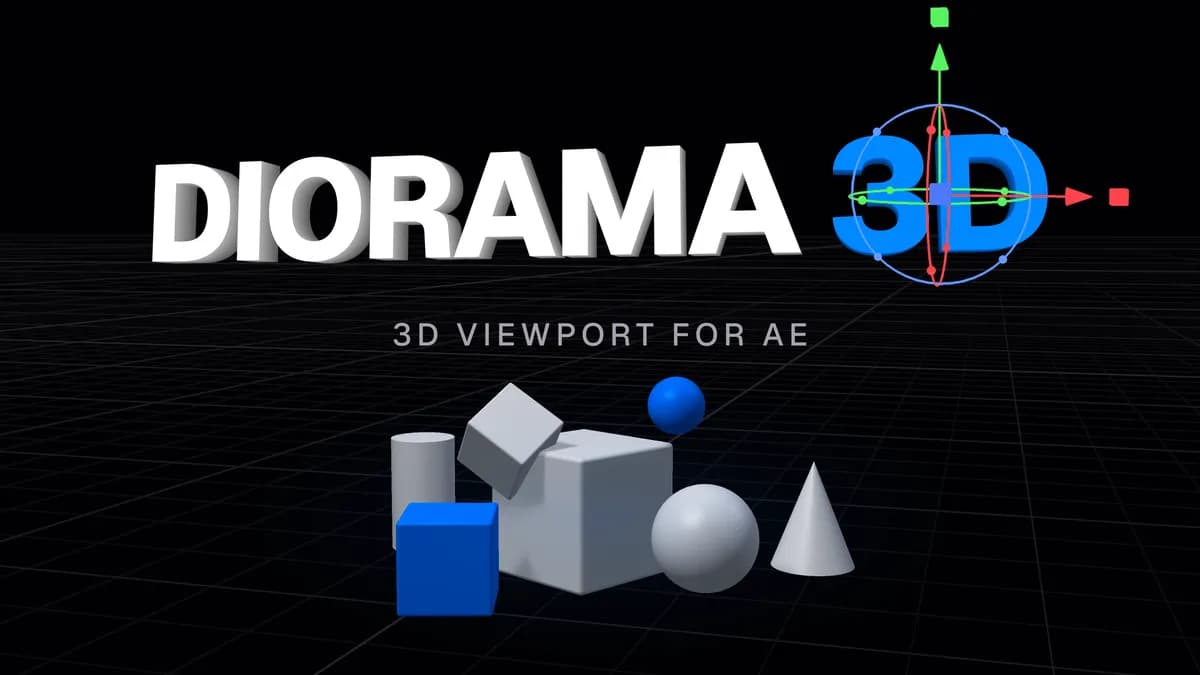
Diorama 3D
About this item
After Effects plugin / Windows and macOS
What's Included
- Standard (W, E, R) or Blender (G, R, S) keys
- Textured, solid and wireframe display, with real-time shadows
- Draggable focal plane for camera focus
- Built on the Jolt physics engine
- Trajectory preview for launched objects, including bounces
- Animation hand-off from keyframes to physics
- Unbake restores the original keyframes
- Position, scale, rotation and aim per layer
- Lists, loops and
random()
- Errors are reported with their line number
- Copy LLM instructions copies a prompt for ChatGPT or another chatbot, so it can write formulas from a description of a shape
- Ground plane Can be tilted to match footage. Placement, snapping and physics use it.
- Shadows Real-time shadows in the viewport
- Keybinds Standard or Blender controls
- Undo Uses After Effects' undo
- Panels Docks like any After Effects panel
- User guide Included in the download, covers every feature
- 0:00 Intro
- 0:13 Installing and the interface
- 1:59 Building the lane
- 5:39 Arranging the pins
- 7:09 The ball and depth of field
- 8:01 Setting up physics
- 9:45 Launching and baking
- 10:48 Custom arrange formulas
- 11:18 Outro
- An Update available button replaces the Diorama 3D title when a newer version is out
- Long text layers redraw faster while typing or animating
- Fixed: on a heavy comp, After Effects could turn sluggish while you worked, with menus lagging and keys not registering
- Fixed: on a heavy comp, moving a layer could freeze After Effects for seconds while a text or shape layer rendered at full resolution
- Fixed: a shape layer with no fill or stroke, such as a script's control layer, was rendered anyway and could freeze After Effects
- Fixed: an anvilfx.com license could deactivate itself when the license server had a temporary problem
- Fixed(Windows): an anvilfx.com activation was lost on restart when the Windows user name had characters outside the system language
- Type a number during a keyboard move, rotate or scale for an exact value
- A second press of an axis key during a keyboard transform switches between global and local, with the Standard keys too
- The rotate and scale readout has a new digital typeface with an outline
- Fixed: a keyboard rotate constrained to an axis turned against the mouse when the axis pointed away from the view
- Fixed: switching away from After Effects in the middle of a drag or a keyboard transform left it running
- Fixed: a value typed into the coordinate bar could land on another layer if the selection changed first
- Fixed: switching comps could select layers and keyframes in the new comp from the old comp's selection
- Fixed: moving a layer right after duplicating, adding or deleting a layer could snap it back
- Fixed: right after reordering layers, textures could swap briefly and a move could land on the wrong layer
- Fixed: a right-click during a viewport drag left the drag stuck to the mouse
- Fixed: Delete, Duplicate or Undo pressed during a drag could apply the drag to a different layer
- Fixed: moving a layer with an expression on a transform property wrote the expression's result into the property
- Fixed: a layer with Separate Dimensions on did not animate in the viewport and could not be moved at a keyframed time
- Fixed: a locked layer could be selected and moved in the viewport
- Fixed: a Proxy arrangement whose formula spread its objects extremely far apart could crash After Effects
- Fixed: some custom arrange formulas could freeze After Effects while typing
- The Diorama Overflow effect is now Diorama Tap, and shows in the timeline and Effect Controls instead of being hidden
- Settings has two switches: Use Diorama Tap, which effects on text and shape layers need, and Show effect overflow. Turning the tap off asks first
- Turning Show effect overflow off removes Diorama Tap from the layers that only had it for overflow
- Diorama Tap is removed with a layer's last effect, and is not added for effects that stay inside the layer
- Fixed: effect overflow could take a long time, or an effect edit, to come back after turning it back on
- Fixed: Refresh Effect Overflow could remove the overflow instead of refreshing it
- Fixed: Ctrl+Z right after adding an effect could seem to do nothing
- Fixed: removing a duplicated or pasted layer with effects took several Ctrl+Z presses
- Fixed: on a layer with many effects, effect changes stopped showing in the viewport
- Fixed: a parented layer could lose its shadow
- Fixed: a layer with Accepts Shadows set to Only showed the whole layer instead of just the shadows on it
Compatibility & Requirements
- HostAfter Effects 2025 (25.6) or later
- 3D rendererClassic 3D and Advanced 3D
- TrialFully featured, 7 days
Frequently Asked Questions
How does instant Telegram delivery via @madbaxapp_bot work?
Activate any plan from $5, then press Download on this page: 1 file (71.6 MB) are sent to your Telegram chat instantly by the bot @madbaxapp_bot.
How do I extract multi-part .part01.rar archives on Windows and macOS?
Download all volumes (.part01.rar, .part02.rar … .partN.rar) into one folder, then start the extraction only from the first volume, part01.rar. On Windows use WinRAR or 7-Zip; on macOS use Keka or The Unarchiver. The other volumes are read automatically.
What is included in the download archive?
The archive includes all project and video files for this release. It does not include one-to-one mentoring or certificates from the original school.