By Aescripts · Official page
Physic3D V1.1.12
About this item
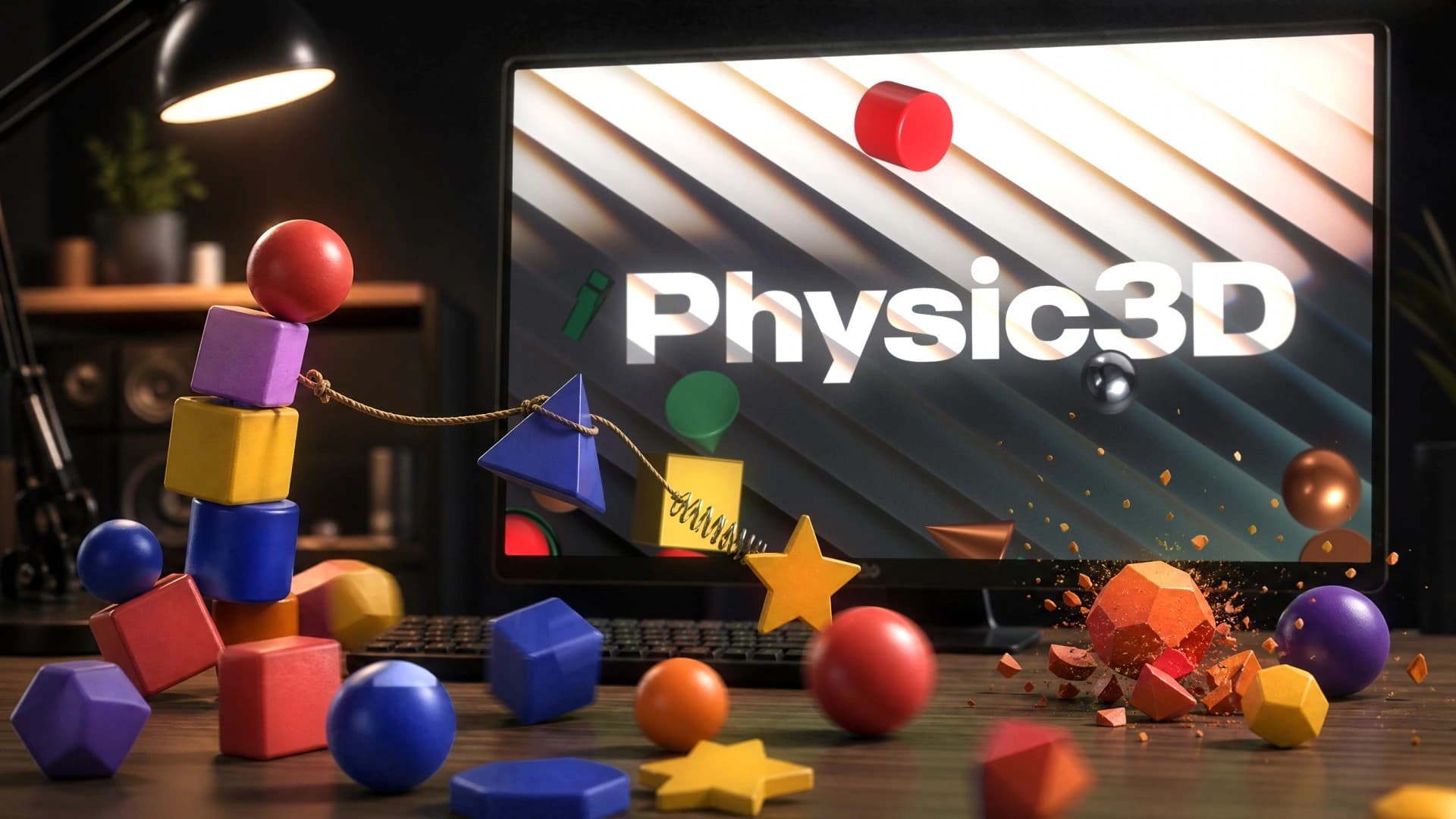
Build a scene from shapes, 3D text, ready-made models and your own layers. Drop it, smash it, swing it, then bake it to native After Effects 3D layers with real keyframes.
Native 3D layers Real keyframes Advanced 3D Windows & macOS
What's Included
- Right-click any setting to reset it, copy or paste its value, apply it to its group, to every body of that type or to every body, make it your default for new bodies, pin it or add a keyframe.
- Each section's menu can reset, copy, paste or apply the whole section at once.
- A copied value or section can be pasted onto the selected bodies from the scene's right-click menu.
- Pin the settings you use most to a Quick card at the top of Properties, drag them into any order and clear them in one click.
- Number fields accept maths such as 1920/2, *2, +100 or -=50.
- Hold Ctrl while dragging a number to change it ten times faster, and a drag no longer stops at the edge of the screen.
- Hovering a number shows its default, its range and how to drag it.
- With nothing selected, Properties shows a summary of the scene, its takes and how many keys an export will create.
- The Material section shows a large preview ball of the body's look.
- Initial Motion draws the start velocity and the path the body will follow over the next second.
- Pattern, Noise and Gradient layers can be filled with a texture or a material instead of a flat colour.
- Wind is aimed with a dial, can tilt toward or away from the camera, and shows a preview of the next five seconds of gusts.
- World > Solver shows how long the scene takes to simulate and what each quality setting would take.
- The Library has a Recent row with the materials, textures, models and lights you used last.
- The Library lists every look used in the scene, so you can select all the bodies wearing it or swap it on all of them at once.
- Rest the pointer on a material or texture in the Library to try it on the selection before applying it.
- Models and lighting rigs can be dragged from the Library straight onto the scene.
- The Library now has a Textures shelf.
- One Scenes window saves the current scene with a picture, opens saved scenes, opens or saves .p3d files and shows the folder they are kept in.
- Press ? or the new keyboard button to see every shortcut on one sheet.
- F frames the selection and Shift+F frames the whole scene.
- Double-click a body in the viewport to rename it.
- Pointing at a body highlights its row in Scene Objects, and pointing at a row outlines its body in the viewport.
- A Text size setting in View settings makes the whole panel easier to read.
- Activity can copy its full report for a support ticket or open it in an email to support.
- Applying a texture to a text body now shows the Texture settings and puts the texture on the letters.
- Choosing a material or texture for a layer no longer deselects the body.
- The Settle by frame number no longer disappears next to the Fit button.
- One press of Scatter no longer applies it twice.
- Exporting shows its progress straight away, and extra clicks during an export no longer create duplicate comps.
- When After Effects keeps the Casts Shadows switch hidden, this is reported in one line instead of as an error for every body.
- Properties sections are now separate cards, so long panels are easier to read.
- Properties keeps its scroll position when it refreshes.
- The Texture and Layers sections were redesigned with a large preview, clear groups and one-click buttons to add each kind of layer.
- A text body with a texture or layers now says that it will be exported to After Effects as a 3D model.
- Contact shadows, motion trail, lights and cameras display settings now live in View settings instead of the World tab.
- Gravity and wind no longer react to music.
- The Library is one column of cards that fold and remember how you left them.
- Scatter now works on a single body and picks from the list of materials you are looking at.
- The Imported tab was removed from the materials shelf and is still available in the material browser.
- Saved scenes have their own folder with readable file names, and scenes saved earlier are moved there automatically.
- The scene name box always suggests a name that is not taken, so saving never overwrites another scene by accident.
- Opening, replacing and deleting a saved scene now asks inside the panel and shows the scene's picture.
- The toolbar has a single Scenes button, and the row of section icons at the top of Properties was removed.
- Texture layers: add Colour, Gradient, Noise, Pattern, Rainbow, Texture and Material layers over a body's texture, each with its own opacity and blend mode, all baked into what After Effects receives.
- Noise and Pattern layers can raise into real relief that catches the light.
- Layers can also be painted over a plain material, and they stay with the body when you change its material or texture.
- Your imported pictures and Substance files now live in the Textures browser, on their own My images and Substance shelves.
- Import is available in both the Materials and Textures browsers, and both have a Favourites shelf.
- Right-click any material or texture card to apply it, star it or remove your own.
- Copy look and Paste look (Ctrl+Shift+C / Ctrl+Shift+V) move a body's material, texture and layers onto other bodies in one step.
- Displace pushes a body's surface in and out with Noise, Cells, Waves or Ridges, and the body collides with its own bumps.
- Path is a new field: a rail, tube or funnel that bodies are drawn onto and carried along, with ready shapes, draggable points and paths taken from a shape layer in After Effects.
- A solid group, or a fracture that has not broken yet, can now be thrown as a whole, and a thrown fracture breaks where it lands.
- The Array Builder can lay bodies out along a Path, and you choose whether a path lies on the front, the floor, the side or follows the Path in 3D.
- Imported texture images now appear on bodies in the panel and in After Effects, not only on the material's card.
- A newly imported picture shows on its card straight away instead of after reopening the browser.
- Importing a Substance file no longer triggers After Effects' "cannot be added to the Timeline" warning.
- Bodies wearing a Substance material now arrive as native shapes you can assign the Substance to in Properties > Material, with clear steps shown after export.
- Importing the same file again no longer creates duplicate cards.
Frequently Asked Questions
How does instant Telegram delivery via @madbaxapp_bot work?
Activate any plan from $5, then press Download on this page: 1 file (3.1 MB) are sent to your Telegram chat instantly by the bot @madbaxapp_bot.
How do I extract multi-part .part01.rar archives on Windows and macOS?
Download all volumes (.part01.rar, .part02.rar … .partN.rar) into one folder, then start the extraction only from the first volume, part01.rar. On Windows use WinRAR or 7-Zip; on macOS use Keka or The Unarchiver. The other volumes are read automatically.
What is included in the download archive?
The archive includes all project and video files for this release. It does not include one-to-one mentoring or certificates from the original school.
Related Assets
Animated Typeface – D3 Mouldism
Included in plans
Handwrite Typeface
Included in plans
Colourful Titles
Included in plans
Box Titles V3.0 | AE
Included in plans
Simple Big Titles | AE
Included in plans