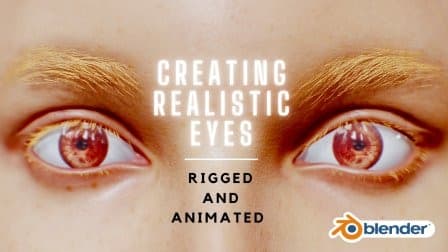
Creating Realistic Eyes In Blender: Rigged and Animated
From Skillshare · Added Oct 4, 2026
About this item
This course guides you through the complete process of creating realistic human eyes in Blender, starting with anatomical foundations and progressing through modeling, texturing, and animation. You'll learn to shape the cornea, model irises, unwrap UVs, and apply textures that bring your eye designs to life. The instruction covers lighting setup, material assignment, and scene enhancement using HDRI adjustments and shader nodes to achieve photorealistic results.
The course then moves into animation and rigging techniques, teaching you how to use shape keys to animate eye movement and how to rig eyes for character animation. You'll work through mirroring eyes in Blender and implementing rigging systems that allow for convincing eye performance. Designed for all skill levels, the course breaks down each step clearly, making it accessible whether you're new to character work or building on existing Blender knowledge.
More from Skillshare
Figma Advanced Masterclass: Design Systems, Prototyping & Responsive UI | Skillademia Academy | Skillshare
Included in plans
Figma Motion Masterclass: Create Professional UI Animations | Skillademia Academy | Skillshare
Included in plans
Blender Geometry Nodes Beginner Masterclass: Create a Procedural Flower Field | Skillademia Academy | Skillshare
Included in plans
Blender for Beginners: Create Your First Stylized 3D Scene | Skillademia Academy | Skillshare
Included in plansIn the price
- All files of the item
- Delivery to your Telegram chat
Not in it
- Refunds, all sales are final
- One-to-one mentoring
- Certificates from the original school