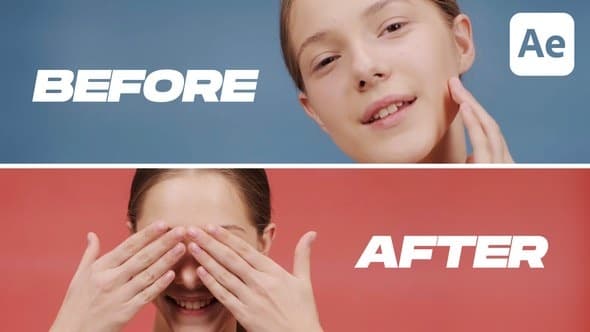
Dynamic Before & After
From Videohive · Added Oct 15, 2026
About this item
Dynamic Dual Screens – Classic Before and After Reveal Toolkit
Show impactful transformations with side-by-side comparisons and bold slider transitions.
The Dynamic Dual Screens template from the all-in-one Before & After Pack offers a powerful way to compare change. Whether you’re highlighting beauty results, fitness progress, or even contrasting two different characters or camera angles — this layout allows you to do it with clarity and impact. With bold titles and clean split-screen animation, it’s ideal for classic before/after reveals.
Perfect for:
Skincare & beauty procedure comparisons — Day 1 vs Day 30
Body transformations — fitness before/after
Portrait enhancements — face retouch, tone correction
Camera view comparisons — angle 1 vs angle 2
Gamer profiles — Player 1 vs Player 2
Who It’s Made For
Beauty experts & cosmetic clinics
Fitness trainers & transformation coaches
Content creators & YouTubers
Gaming editors & esports teams
Video editors showcasing visual progress or contrast
️ Powerful Customization & Flexible Controls
This template was built with customization in mind — giving you full control over how your content is presented.
Tailor-made to cater to any video’s needs, the Before & After Pack offers an intuitive, user-friendly interface that simplifies video editing while ensuring high-quality results. Suited for both beginners and seasoned professionals.
Timing Adjustment: Master your scene duration.
Stand out with the pack’s unique one-click feature that allows you to adjust the duration of Scenes effortlessly. This ensures your content flows seamlessly, keeping your audience engaged.
Synchronized Rhythm: Simple Speed Control.
Have complete control over your storytelling pace with the handy speed control feature. Alter the speed of Scenes with a single click to match the rhythm of your narrative.
⚙️ Key Features
Speed & duration control with one-click sliders
Background, stroke, and corner roundness control
Beginner-friendly interface
What’s Included
100% After Effects Template
Compatible with After Effects 24.7.0 and above
Universal Expressions — works in any language version of AE
No Plugins Required
Show the difference. Tell the story.
Explore the Before And After Pack – Professional Comparison Toolkit.
More from Videohive




In the price
- All files of the item
- Delivery to your Telegram chat
Not in it
- Refunds, all sales are final
- One-to-one mentoring
- Certificates from the original school