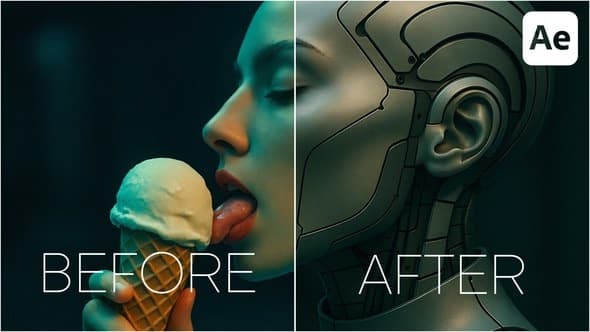
Minimal Before and After
From Videohive · Added Oct 15, 2026
About this item
Minimal Before and After – Clean Masked Comparison Toolkit for After Effects
Highlight subtle changes and refined details — with smooth overlays, soft transitions, and elegant typography.
The Minimal Before & After template from the all-in-one Before & After Pack is designed to reveal progress with clarity and precision. Using animated masks, the “After” image gradually overlays the “Before” — perfect for highlighting enhancements across specific areas. With a modern, minimalist design and clean layout, this style feels both sophisticated and soft.
Perfect for:
Beauty enhancements — retouching skin, eyes, lips, or hair
Skincare transformations — subtle changes over time
Makeup looks — before/after edits per zone
Fashion styling — accessory or detail-focused changes
Photo retouching — high-end beauty editing
Who It’s Made For
Makeup artists & beauty influencers
Skincare brands & dermatologists
Retouchers & photographers
Social media content creators
Cosmetic clinics & salons
️ Powerful Customization & Flexible Controls
This template was built with customization in mind — giving you full control over how your content is presented.
Tailor-made to cater to any video’s needs, the Before & After Pack offers an intuitive, user-friendly interface that simplifies video editing while ensuring high-quality results. Suited for both beginners and seasoned professionals.
Timing Adjustment: Master your scene duration.
Stand out with the pack’s unique one-click feature that allows you to adjust the duration of Scenes effortlessly. This ensures your content flows seamlessly, keeping your audience engaged.
Synchronized Rhythm: Simple Speed Control.
Have complete control over your storytelling pace with the handy speed control feature. Alter the speed of Scenes with a single click to match the rhythm of your narrative.
⚙️ Key Features
Speed & duration control with one-click sliders
Background, stroke, and corner roundness control
Beginner-friendly interface
What’s Included
100% After Effects Template
Compatible with After Effects 24.7.0 and above
Universal Expressions — works in any language version of AE
No Plugins Required
Show the difference. Tell the story.
Explore the Before And After Pack – Professional Comparison Toolkit.
More from Videohive

In the price
- All files of the item
- Delivery to your Telegram chat
Not in it
- Refunds, all sales are final
- One-to-one mentoring
- Certificates from the original school