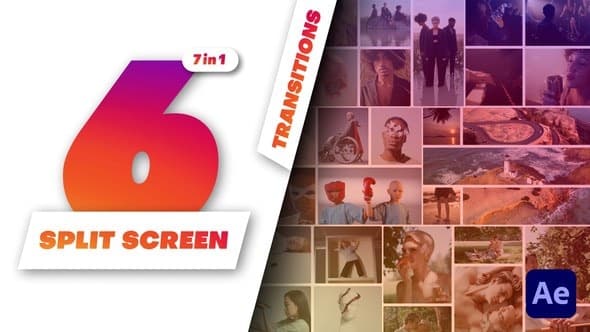
Multiscreen Transitions - 6 Split Screen
From Videohive · Added Oct 16, 2026
About this item
Multi-Screen Transitions – 6 Split Screen – After Effects Template
A handy video editing solution with easy duration and speed controls.
Boost your videos with our Multiscreen Transitions – 6 Split Screen tool in After Effects. This advanced After Effects template boosts your content with dynamic, multi-screen transitions, designed for seamless storytelling and enhanced viewer engagement.
The pack is a must-have for video editors, filmmakers, and content creators seeking to maintain visual continuity and audience interest. With its unique, one-click duration and speed control, editing is fast and simple for any kind of video.
Take your videos to the next level with the Multiscreen Transitions – 6 Split Screen.
Why you’ll love Multiscreen Transitions – 5 Split Screen:
Duration and speed control. Duration control for flexible and personalized editing. Options to control the speed of the animation for dynamic storytelling.
Ease of Use. Adjustable to any video’s needs.
Perfect for any video, the Multiscreen Transitions comes with an easy-to-use setup. Make your edits simply and get top-notch results. Suited for both beginners and seasoned professionals.
Transition Out – On | Off: Switch the transition to multiscreen.
Elevate your user experience with just one click! Introducing our new feature that lets you seamlessly switch between transition and multiscreen modes. Unlock endless possibilities to customize and enhance your scenes.
Timing Adjustment: Master your Transition Duration.
Stand out with the pack’s unique one-click feature that allows you to adjust the duration of transitions effortlessly. This ensures your content flows seamlessly, keeping your audience engaged.
Flexible Design Features.
Make your videos look better by rounding rectangle corners in just one click. This gives your videos a smooth, pleasing look, making editing feel custom-made.
Adjustable Frame Width & Removal.
This feature lets you change frame widths or even take them out. Get the right look for your videos every time.
Synchronized Rhythm: Simple Speed Control.
Have complete control over your storytelling pace with the handy speed control feature. Alter the speed of transitions with a single click to match the rhythm of your narrative.
Designed for Everyone:
More from Videohive




In the price
- All files of the item
- Delivery to your Telegram chat
Not in it
- Refunds, all sales are final
- One-to-one mentoring
- Certificates from the original school