By Earnedits · Official page
Claude + After Effects — AI-Assisted Motion Graphics
About this item
Creating modern motion graphics isn’t just about animating anymore.
It’s about building a workflow that lets ideas move as fast as creativity.
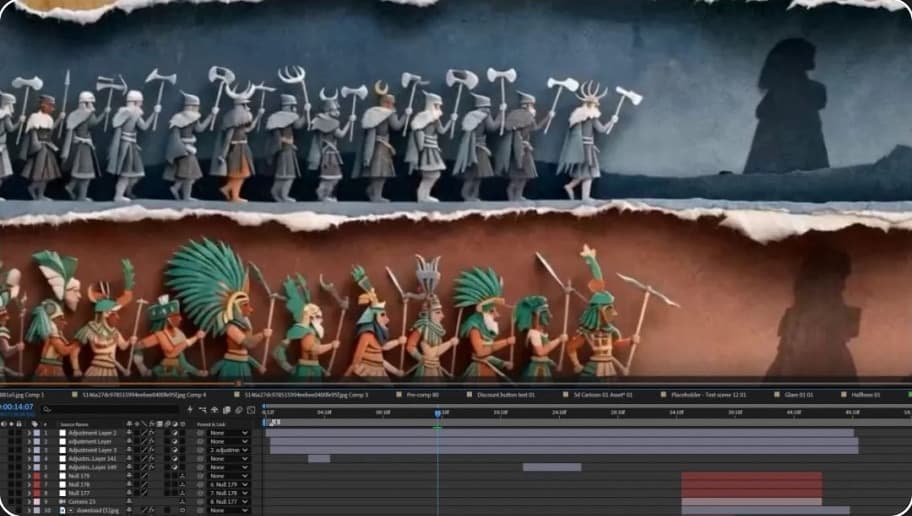
For this project, we combined Claude with Adobe After Effects to create a motion graphics edit that blends AI-assisted planning with professional animation techniques. Instead of using AI to generate the final animation, Claude became an integral part of the creative process—helping develop concepts, refine visual sequences, solve animation challenges, generate expressions, and organize the overall structure before everything was brought to life inside After Effects.
In this comprehensive motion graphics tutorial, we take you behind the scenes of the complete production process, showing exactly how this project was planned, designed, and animated.
From the initial concept to the final render, you’ll see how Claude and After Effects worked together to speed up production while maintaining complete creative control over every frame. Throughout the tutorial, you’ll learn how we used Claude to brainstorm animation ideas, generate After Effects expressions, refine typography layouts, improve scene transitions, organize compositions, and solve creative roadblocks before translating those ideas into polished motion graphics inside After Effects. Every stage of the workflow is broken down, demonstrating how
AI can support—not replace—the creative process.
We also explore the techniques used to animate interface elements, create dynamic layouts, build seamless transitions, refine timing, polish motion curves, and organize a production-ready project structure. Every composition is explained in detail, allowing you to understand not just how each animation was created, but why each creative decision was made.
Rather than presenting AI as an automatic solution, this tutorial focuses on the workflow behind the project—showing how thoughtful planning, creative experimentation, and professional animation techniques came together to produce a polished motion graphics piece.
By the end of the tutorial, you’ll have a complete understanding of how this project was created using Claude and Adobe After Effects, and you’ll be able to apply the same workflow to your own SaaS animations, commercial projects, documentary edits, and client work.
Frequently Asked Questions
How does instant Telegram delivery via @madbaxapp_bot work?
Activate any plan from $5, then press Download on this page: all archive files are sent to your Telegram chat instantly by the bot @madbaxapp_bot.
How do I extract multi-part .part01.rar archives on Windows and macOS?
Download all volumes (.part01.rar, .part02.rar … .partN.rar) into one folder, then start the extraction only from the first volume, part01.rar. On Windows use WinRAR or 7-Zip; on macOS use Keka or The Unarchiver. The other volumes are read automatically.
What is included in the download archive?
The archive includes all project and video files for this release. It does not include one-to-one mentoring or certificates from the original school.
Related Assets
Dynamic Text Animation AE
Included in plans
New Year Things Typography Stories for After Effects
Included in plans
Titles Animation AE
Included in plans
Christmas Characters Icons And Titles for After Effects
Included in plans
Simple Clean Titles | AE
Included in plans