By Udemy · Official page
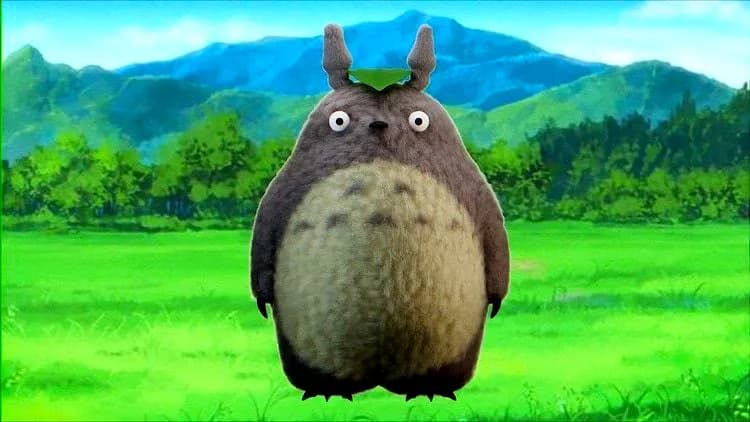
My neighbor Totoro" Ghibli Studio in 3D Blender 4. Beginner
About this item
This Blender course guides beginners through creating 3D models inspired by "My Neighbor Totoro" and the distinctive visual style of Studio Ghibli. Using Blender 4, you'll learn foundational 3D modeling techniques while working on character and environment designs drawn from the beloved film. The course is structured for beginners with no prior 3D experience required.
You'll develop practical skills in sculpting, texturing, and rendering as you recreate iconic elements from the Studio Ghibli universe. By the end, you'll have a solid understanding of Blender's core tools and workflow, applied through the creative context of one of animation's most cherished films.
Frequently Asked Questions
How does instant Telegram delivery via @madbaxapp_bot work?
Activate any plan from $5, then press Download on this page: 1 file (2.2 GB) are sent to your Telegram chat instantly by the bot @madbaxapp_bot.
How do I extract multi-part .part01.rar archives on Windows and macOS?
Download all volumes (.part01.rar, .part02.rar … .partN.rar) into one folder, then start the extraction only from the first volume, part01.rar. On Windows use WinRAR or 7-Zip; on macOS use Keka or The Unarchiver. The other volumes are read automatically.
What is included in the download archive?
The archive includes all project and video files for this release. It does not include one-to-one mentoring or certificates from the original school.
Related Assets
N_3D-Card_Node SSR
Included in plans
BLENDER: Creating the Dune Ornithopter from start to finish
Included in plans
Blender From Zero
Included in plans
The Blender 4 Ultimate Guide
Included in plans
Blender Fundamentals Vol. 1-3 (Blender 4.0)
Included in plans