Madbax Navigation - Premium Animated Banner

Search Madbax

Find courses, tutorials, and creative resources

Enter to search
↑↓ to navigate
Esc to close
Madbax Navigation - Premium Animated Banner

Search Madbax

Find courses, tutorials, and creative resources

Enter to search
↑↓ to navigate
Esc to close
Home Courses Unreal Engine Unreal Zero to Pro Course
Unreal Engine

Unreal Zero to Pro Course

Share

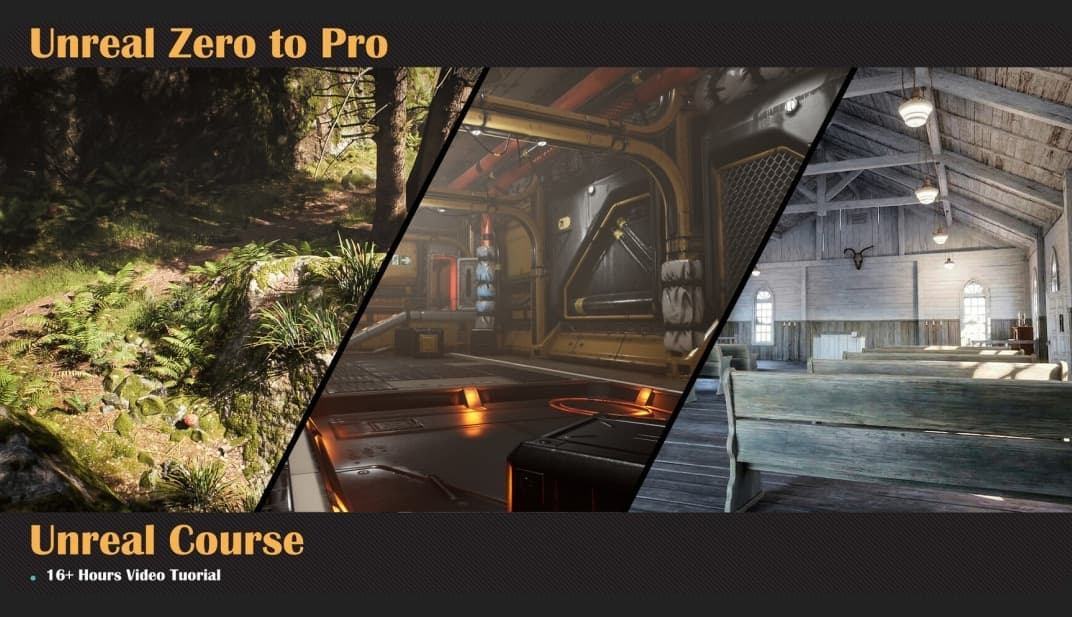
🎓 Unreal Engine Masterclass: Chapter One – Environment & Technical Art

This course is designed to transition you from basic software operation to professional environment development. The focus is placed on understanding the underlying logic of Unreal Engine — not just memorizing buttons — to ensure a sustainable and scalable workflow that matches real studio standards.

🔹 16+ Hours of Content | 57+ Detailed Lessons | 5 Comprehensive Modules

📦 Module 1: The Foundation

The essentials of UI and navigation are mastered here. Industry-standard naming conventions and scene management rules are strictly followed. You’ll build the habits that professional studios expect from day one.

  • ✅ Content Browser management and project structure 
  • ✅ Proper 3D model importation into Unreal Engine 
  • ✅ Quixel Megascans integration for photorealistic assets

🌲 Module 2: World Building & Landscapes

Technical landscape creation is explored through a dedicated “Forest Project.” Instead of randomly placing assets, you’ll learn the technical systems behind building believable worlds.

  • ✅ Landscape material control and foliage systems 
  • ✅ Implementation of Fog and Post-Processing
  • ✅ Creating cohesive, immersive environments with proper layering

⚙️ Module 3: Workflow & Production

Efficiency in production is prioritized. Proper asset migration and pipeline integration with external DCCs and Substance Painter are established — the same workflows used in game and film production.

  • ✅ Collision setups and Decals for environmental detail 
  • ✅ Master Material creation for project optimization and scalability 
  • ✅ Asset migration between projects without breaking references

🎬 Module 4: Cinematics & Storytelling (12 Episodes | 4.5 Hours)

Once your world is built, you need to show it off. Advanced storytelling tools are utilized to showcase your environments through professional camera work and cinematic sequences.

  • ✅ Sequencer: Mastering animation, keyframing, and object control 
  • ✅ Cinematic Camera & Rigging: Professional placement and movement techniques 
  • ✅ Movie Render Queue: High-quality rendering and plugin management 
  • ✅ Post-Production: Video assembly and final output for portfolio and showreel

💡 Module 5: Lighting & Technical Art (10 Episodes | 4.8 Hours)

Lighting is what defines your world. The architecture of light is analyzed to ensure visual precision and performance. Instead of just copying settings, you’ll understand the system behind it.

  • ✅ Lumen: Global Illumination and Auto-Exposure for interior and exterior scenes 
  • ✅ Shadow Methods: Light Functions and specialized shadow processing 
  • ✅ Technical Art: Blueprint Actors, Path Tracing vs. Light Baking, and Lightmap Density 
  • ✅ Performance: Achieving high-end visuals optimized for real-time game engines

🎯 Who Is This For?

  • ✅ Beginners who want to learn Unreal Engine with a structured, professional approach 
  • ✅ 3D artists transitioning from offline rendering to real-time environment art 
  • ✅ Game developers who need to understand lighting, optimization, and production pipelines 
  • ✅ Anyone tired of scattered tutorials — this is a complete, step-by-step path

🔥 This is Chapter 1 of a comprehensive masterclass journey. The foundation you build here will define everything that comes after. Start here. Build your world. Build it right.

Related Articles
AICourses

Ai For Work Course

This course explores practical applications of artificial intelligence designed to enhance productivity...

Group Buy

Introduction to AI Art Creation Completed with Artificial Intelligence

Explore the fundamental concepts of AI art, a rapidly growing field within...

Group Buy

Visual Interactive Art Completed with a Single Tool: Touch Designer

Master the creation of visual interactive art from start to finish using...

Group Buy

Creating an Interactive Website with a Standout Design

This interactive web design class, taught by graphic designer Go Yun-seo, focuses...