By Aescripts · Official page
Meander V1.0.0
About this item
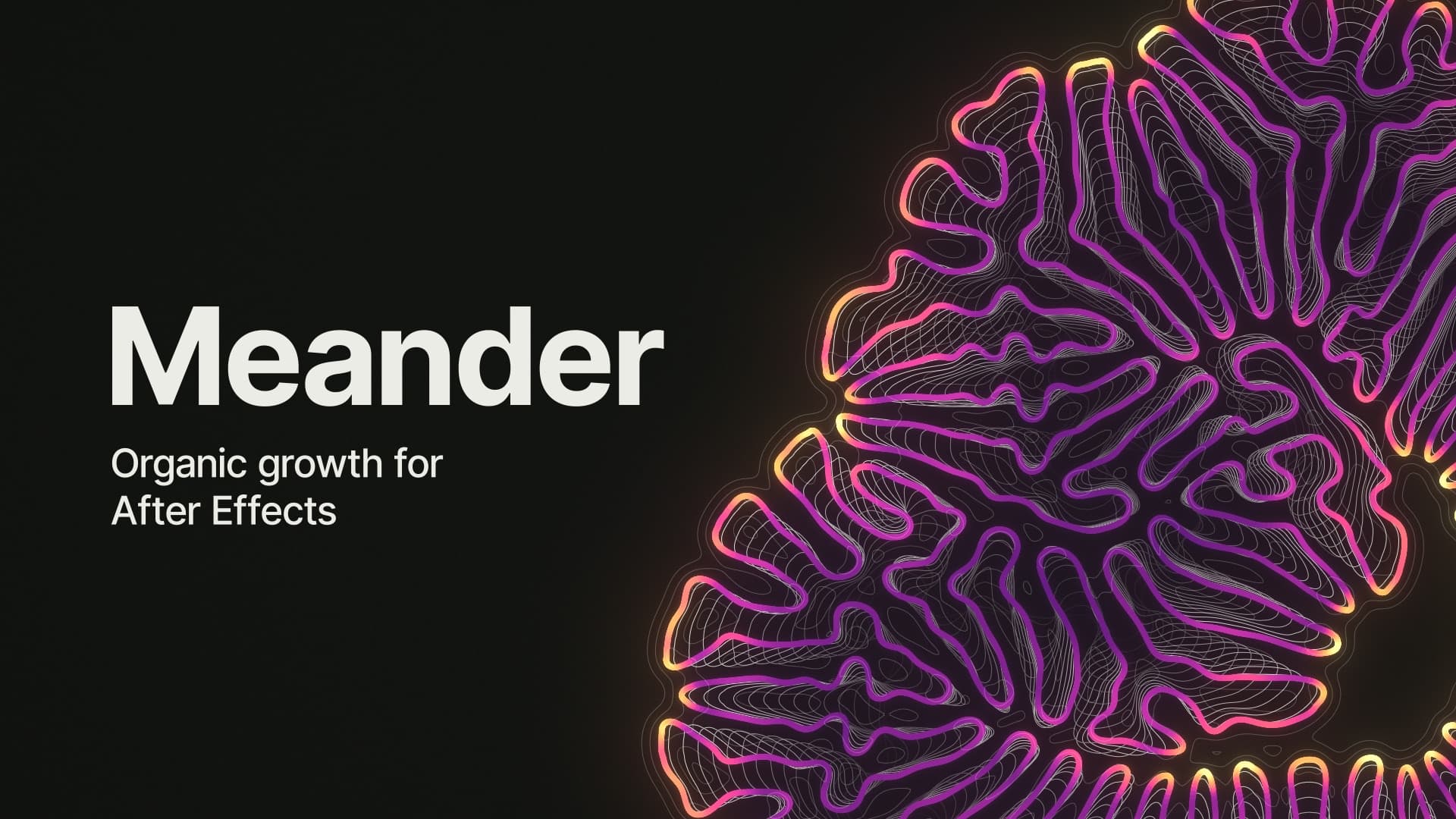
Grow coral, mazes and fingerprints out of any layer.
Meander is a growth effect for After Effects. Put it on text, a logo, a shape layer or anything with transparency, and the outline starts to grow. It gets longer, bunches up and folds into patterns that look like coral, lichen or fingerprints. Every shape grows a little differently, and the final render always matches your preview. Find itEffect › NewMediaFX › Meander Start from13 presets, 12 color palettes Works withAfter Effects 2018 and later, Windows and macOS
1Apply it Drop Meander on a text, shape or image layer.
2Pick a preset Corals, Mycelium, Scribble and ten more.
3Press play It grows on its own. No keyframes needed.
Fig. 1A text layer, then the same layer grown.
01Grows out of the layer you already have Type, logos, shape layers, keyed footage, PNGs. If it has transparency, Meander can grow from it. You can keep the original layer visible, on top of the growth or underneath it.
02No keyframes needed The growth starts with the layer and keeps going for as long as the shot lasts, whether that’s three seconds or thirty. If you want more control, keyframe a single progress value to ease, pause or reverse it.
Fig. 2One shape, about three seconds of growth.
Fig. 3White line art on a dark comp.
03Fine lines or solid shapes Draw it as an outline, a filled shape, or both. One slider sets how big the folds get, from tight fingerprint ridges to big, round lobes.
04Color that follows the growth Color it by age, speed or how sharply the line bends. Colored by age, the newest growth sits at the bright end of the gradient, so you can watch the pattern spread. Outline and fill each get their own gradient.
Fig. 4Stroke and fill on separate gradients.
Twelve color palettes come with it, and each one works with every preset. Deep Sea Ember Glacier Forest Reef Neon Candy Sunrise Copper Aurora Thermal Mono
Show how it grows Eleven overlays draw what’s happening underneath, like the points along the line, the space each one claims and the outlines it left behind. They work well for titles, science pieces and breakdowns.
Contour Field
Repulsion Bubbles
Growth Rings
Callouts
Each overlay fades in with its own slider. You can also render them alone on a transparent background and grade them separately.
Thirteen presets to start from Pick one as a starting point, then change whatever you like. CirclesSmooth, even balloons in one clean color. Bubble GumRound bubbles, hot pink in the tight kinks and violet on top. Corals (Large)Broad reef folds, warm at the growing tips. BulgeSwells outward in one smooth push. CloudyFast, billowy lobes in an overcast blue. Corals (Fine)A denser, tighter maze in indigo, cyan and lime. DesiccationKeeps the sharp corners of your shape as it grows. Glued GrowthHeld tight against the original outline. MyceliumFine, thread-like filaments, cream to forest green. PillTightly packed folds, white to capsule red. PolarEven, broad folds in ice white and polar blue. ScribbleFast, jittery lines in neon marker colors. StretcherTaut and smooth rather than folded. The colors shown are each preset’s defaults. You can swap in any palette.
Good to know Each frame builds on the one before it, so playing forward is quick. If you jump far ahead or change how it grows, Meander has to catch up first. Colors and line width update right away. It runs on the CPU, so you don’t need a special graphics card.
After Effects2018 or later (2022 or later recommended) SystemWindows 10 or 11, macOS 11 or later (Intel and Apple Silicon) Color depth8, 16 and 32 bit Multi-Frame RenderingSupported
Questions Can it follow an animated layer? Not directly. It grows from where the layer is when it starts. To move the growth around, precompose it and animate the precomp.
Does it work on video? Partly. Meander grows from one frame of the layer (the Start Frame), so it works on keyed or rotoscoped footage, but the growth doesn’t follow the motion in the clip after that frame. The original footage keeps playing on top of the growth or underneath it.
Will the render look like my preview? Yes. The same settings give the same result every time, also with Multi-Frame Rendering.
Can I try it first? Yes. The trial has every feature. Renders are watermarked until you activate a license.
Also from NewMediaFXGridWarp: stretch anything like rubber. Drag grid lines right in the Comp viewer and the image between them stretches or squeezes live. Add a wave for rippling motion without keyframes. It works on any layer, including one you’ve grown with Meander. See GridWarp →
- 0:00 Intro
- 0:05 Applying the Effect
- 0:33 Presets
- 0:53 Timing & Progress
- 1:14 Forces & How It Grows
- 1:55 Draw Mode & Fill Color
- 2:12 Gradients by Velocity, Curvature & Age
- 2:52 Live Text Editing
- 3:21 Contour Fields
- 3:59 Growth Rings
- 4:35 Callouts
- 5:12 Outro
Frequently Asked Questions
How does instant Telegram delivery via @madbaxapp_bot work?
Activate any plan from $5, then press Download on this page: 1 file (4.4 MB) are sent to your Telegram chat instantly by the bot @madbaxapp_bot.
How do I extract multi-part .part01.rar archives on Windows and macOS?
Download all volumes (.part01.rar, .part02.rar … .partN.rar) into one folder, then start the extraction only from the first volume, part01.rar. On Windows use WinRAR or 7-Zip; on macOS use Keka or The Unarchiver. The other volumes are read automatically.
What is included in the download archive?
The archive includes all project and video files for this release. It does not include one-to-one mentoring or certificates from the original school.