Madbax Navigation - Premium Animated Banner

Search Madbax

Find courses, tutorials, and creative resources

Enter to search
↑↓ to navigate
Esc to close
Madbax Navigation - Premium Animated Banner

Search Madbax

Find courses, tutorials, and creative resources

Enter to search
↑↓ to navigate
Esc to close
Home Courses Blender UnhideSchool – Grease Pencil: From Basic to Advanced
Blender

UnhideSchool – Grease Pencil: From Basic to Advanced

Share

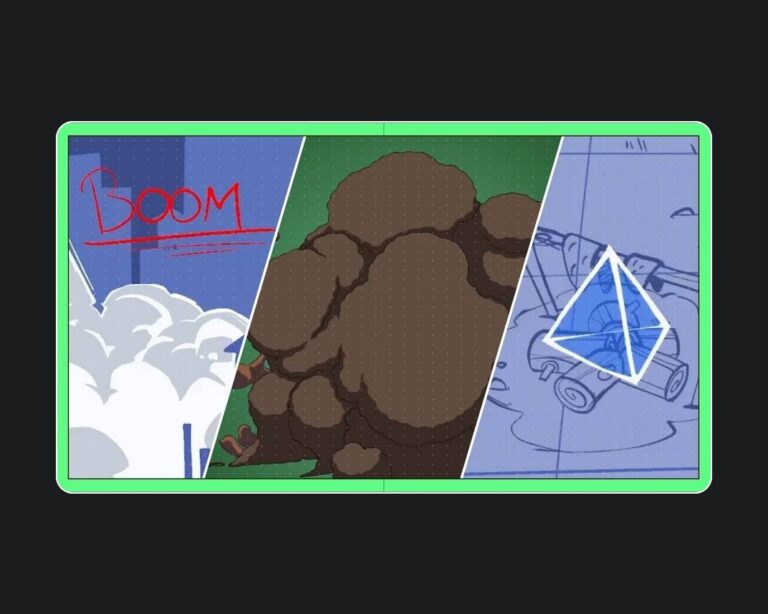
Grease Pencil is a Blender tool that makes creating 2D animation more practical. The job market for this art form has grown in recent years, and artists can find opportunities in various areas, such as: TV stations, advertising agencies, game studios, and, of course, large animation studios, even international ones. 

UNHIDE School

In the Grease Pencil: From Basic to Advanced course , you will learn how to create 2D animations with the Grease Pencil tool, using traditional frame-by-frame animation techniques, cut-out (tra-digital), going through pre-production and using 3D space to your advantage.

Instructor Nereu Rocha has compiled everything you need to know to create your animation projects. Throughout the lessons, in addition to frame-by-frame animation, he will cover animation finalization and rigging of 2D characters. 

The classes are aimed at beginners, even those who have never made a 2D animation, and also for those who already animate in other software but have no experience with Blender! To get the most out of the content, all you need is a graphics tablet (any pen-based interface) and some knowledge of the Blender interface (it helps, but it’s not essential).

Check the minimum recommended system requirements for software installation:

All software taught on our platform must be purchased and licensed directly from the developers. See below for the official links to purchase and download the software used in the course:

What you will learn in the course “Grease Pencil: From Basic to Advanced”

In the Grease Pencil: From Basic to Advanced course , you will learn 2D animation techniques! Throughout your learning journey, you will be presented with four projects aimed at developing animation planning, frame-by-frame animation, final artwork, and rigging for tradigital animation, which combines traditional and digital techniques!

Here are the techniques you will learn throughout the course lessons:

  • Narrative for Animation (Thumbnails)
  • Basic Camera Animation
  • Basic Drawing Concepts
  • Traditional Animation
  • Intervalation (Inbetweening)
  • Automatic Interpolation
  • Animation Cleanup
  • Coloring and Textures
  • Grease Pencil Modifiers
  • Visual Effects of Grease Pencil
  • Composition (Post Production)
  • 2D Rigging
  • Draw Substitution
  • Cut Out Animation

Take advantage of this and over 60 other courses that will help your digital art career take off! Choose between our Monthly, Semiannual, or Annual Plan to access all courses on the site, receive a certificate for each completed course, and get personalized mentoring

Related Articles
Houdini

USD in Houdini 19.5

This course is a follow-up to HOU221: USD and LOPs for Houdini Artists which...

Houdini

FXPHD Height Fields in Houdini Part 2

Houdini height fields have many useful nodes to be able to quickly...

Houdini

Height Fields in Houdini, Part 1

Houdini height fields have many useful nodes to be able to quickly...

Photoshop

Unhide School – 2D Character Animation Kaeru

Learn the complete process of producing an animated film.  Animation is booming....