By Wingfox · Official page
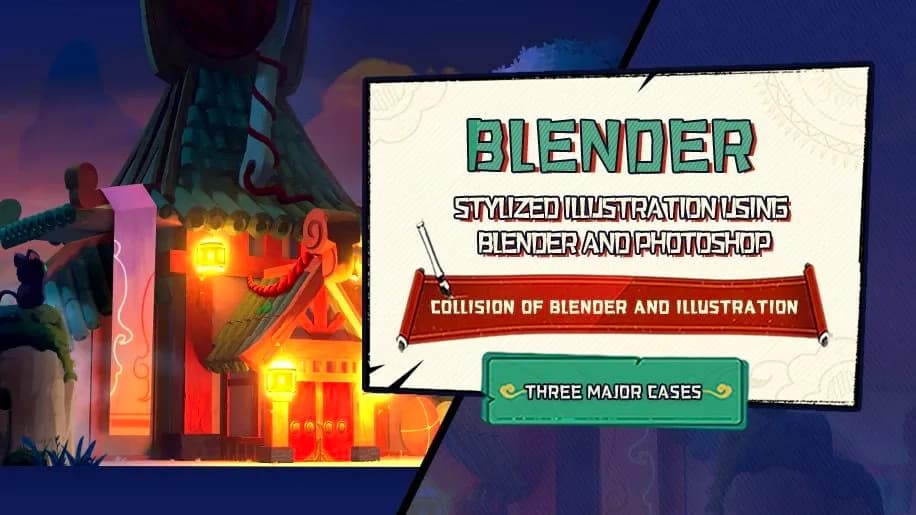
Drawing Stylized Illustration using Blender and Photoshop
About this item
This course teaches the fundamentals of creating stylized illustrations by combining Blender's 3D modeling and rendering capabilities with Photoshop's digital painting tools. You'll learn how to develop a cohesive artistic style that bridges 3D asset creation and 2D refinement, leveraging both software platforms to achieve polished, character-driven artwork.
The training covers workflows specific to stylized illustration, demonstrating how to use Blender for modeling and lighting before bringing renders into Photoshop for final painting and compositing. This hybrid approach allows you to maintain creative control across the entire production pipeline, from concept to finished piece.
Frequently Asked Questions
How does instant Telegram delivery via @madbaxapp_bot work?
Activate any plan from $5, then press Download on this page: 1 file (1.4 GB) are sent to your Telegram chat instantly by the bot @madbaxapp_bot.
How do I extract multi-part .part01.rar archives on Windows and macOS?
Download all volumes (.part01.rar, .part02.rar … .partN.rar) into one folder, then start the extraction only from the first volume, part01.rar. On Windows use WinRAR or 7-Zip; on macOS use Keka or The Unarchiver. The other volumes are read automatically.
What is included in the download archive?
The archive includes all project and video files for this release. It does not include one-to-one mentoring or certificates from the original school.
Related Assets
Blender Jumpstart: Beginners Guide to Profitable 3D Designs
Included in plans
Master the Blender for Game Art, Film & Design
Included in plans
Architectural Design with Blender
Included in plans
Chromatic Distortion Magic: Creating Unique 3D Typography in Blender
Included in plans
Design a Custom Kitbash Library
Included in plans