By Videohive · Elements · Titles & text · 76 MB · 1 file · RAR · Aug 22, 2026
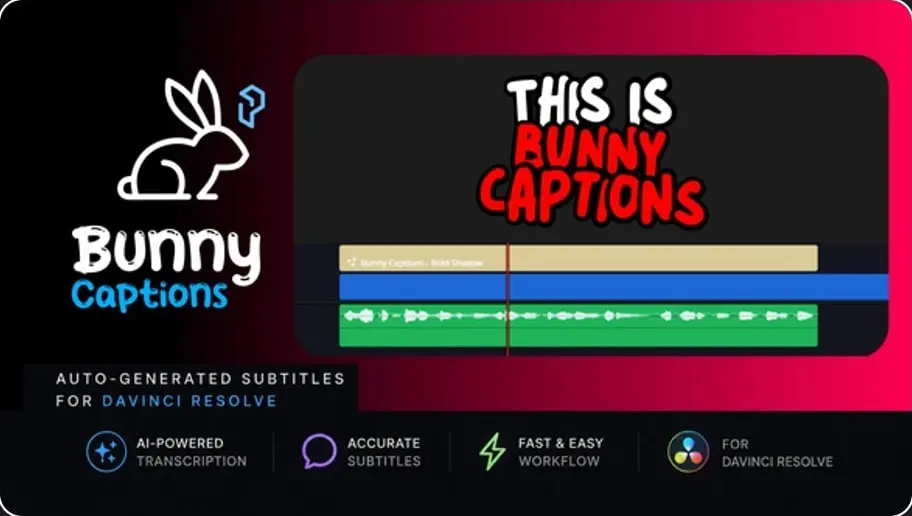
Bunny Captions — Bold Shadow Professional Auto-Generated Subtitles for DaVinci Resolve
Are you tired of finishing your edit in DaVinci Resolve only to export it to your phone or a third-party service just for captions? Bunny Captions is the ultimate solution to streamline your workflow.
This powerful macro creates stylish, dynamic subtitles directly inside DaVinci Resolve. It’s the perfect tool for Reels, Shorts, TikTok, podcasts, vlogs , and any content that needs to grab attention.
Full Language Support (UTF-8): Works flawlessly with Latin, Cyrillic, and other character sets.
Smart Active Word Highlighting: Words light up in perfect sync with the speech, maximizing viewer retention.
Professional Styling: Features the “Bold Shadow” look and “Multi-Highlight” options for a premium, high-end aesthetic.
Three Versatile Generation Modes
Studio Integration: Blazing-fast transcription using DaVinci Resolve Studio’s native engine.
SRT Mode: Full support for importing SRT files generated by free external AI tools (like Vibe, Whisper, etc.).
Manual Mode: An advanced mode for manual text entry with automatic timing adjustment based on word duration.
Shorts: Optimized for vertical video. Minimal animation with short, punchy lines.
Longs: Designed for horizontal content. Smooth animations with 40–50 characters per line.
Pro: Total control. Fine-tune line breaks and animation curves to match your unique brand.
Why Choose Bunny Captions?
100% Local & Private: Everything happens inside DaVinci Resolve. No files are uploaded to the cloud, ensuring your data stays secure.
Full Control: Edit text, add or remove words, manage line breaks directly in the Inspector panel. The script automatically recalculates timings for a perfect fit.
High Performance: Optimized Lua code ensures a smooth experience even on mid-range hardware.
Better than Mobile Apps: Achieve a professional look that stands out from generic mobile captions.
.drfx File: Easy installation via Drag-and-Drop.
Video Tutorial: A concise, step-by-step guide to get you started in minutes without any fluff.
Create high-quality content faster and eliminate the routine. Happy editing!
Keep an eye on my profile for more professional presets and styles. If you have any ideas or feature requests, feel free to reach out!
Vibe Link (Free local AI App for generating SRT subtitles) @SmokinandGrillinwithAB videos in Preview and Tutorial