Bento Multiscreen

By Videohive · Openers · Presets & editing packs · Oct 17, 2026
Overview

Bento Multiscreen

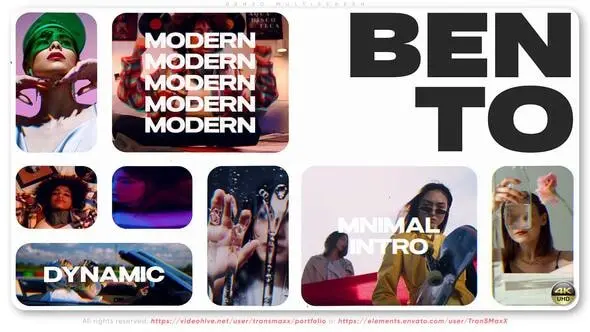
This dynamic multi-screen intro template is perfect for creating vivid and memorable opening screensavers. Thanks to the split-screen style structure and rhythmic transitions, the project allows you to highlight key visual accents, quickly convey information, and immediately capture the viewer’s attention. It is suitable for both photo and video content, making it a flexible solution for a wide variety of tasks.

The template can be used in brand promos, advertising campaigns, startup presentations, or digital agencies. It will seamlessly fit into the design of video content for social networks — from Instagram Reels to TikTok and YouTube Shorts. The project works particularly well in dynamic niches: fashion, sports, events, technology, and creative portfolios.

Main Features

  • Software: Adobe After Effects CC 2018 or higher version needed
  • Resolution: 4K (3840×2160) – 2160p, 30 fps
  • Duration: 0:35 min in default version
  • Universal expression – any language software available
  • Very easy to customize and online support
  • Detailed PDF tutorial – included *.zip file
  • 38 placements for your media (photo or video)
  • 17 text holders for typing your titles, conditions, or any you need
  • No plugins required <<< 100% Adobe After Effects
  • Used font – not included (links inside PDF)
  • Music Link – Glamour Fashion Beat

Thanks to its fully modular structure and the ability to fine-tune colors, tempo, and content, the template adapts to any style and brand. Even without deep knowledge of After Effects, you can easily replace media and text, creating a professional video in minutes.

Ideal fit for:

  • High-energy intros and promo videos
  • Social media content (Instagram, TikTok, YouTube Shorts)
  • Startups, digital agencies, and corporate promos
  • Event teasers, conferences, and product showcases
  • Creative portfolios and media reels
  • Fashion, sports, and urban-style edits

Thanks a lot for looking at our project!

How access works

  1. Get a planStarter, Pro or Lifetime.
  2. Sign in with TelegramOne tap, your plan is linked to your account.
  3. DownloadPress Download on this page, the files arrive in your Telegram chat.