By Videohive · Titles · Titles & text · Oct 17, 2026
Overview
Numbers Counter Text Animation Pack | Text Preset Tool & 53 Premade Scene Setups
Compatible with After Effects CC 2023 and above.
Includes 53 premade scene setups!
.ffx Preset is Included!
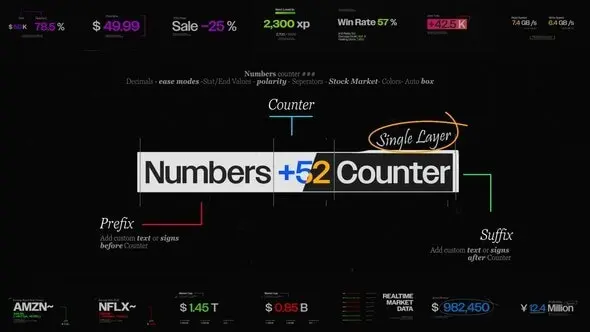
Create clean number counters in seconds. This single text-layer preset lets you drop a # anywhere in your line to place the animated value, and add editable text before and/or after the number. Pick your animation style from the built-in options. No plugins, 100% native After Effects. Includes 53 premade scene setups to jump-start your layouts.
How to Use the Counter Text
Optionally enable Edit Mode from the Fx Control Panel
Use the # symbol in your text to indicate where the animated number should appear
Type your custom text before and/or after the #
Numbers Counter Text Animator gives you total control with simple tools built for motion designers
Edit Mode Enable before adding your text so you can see exactly where the counter will appear
Dynamics Duration: Duration of the animation in seconds Ease Mode: Choose between Linear, Ease In/Out, Stop Motion, or Looping styles
Counter Value Start / End: Range of the counter animation Decimals: Control decimal precision (e.g., use 1.6 as Start or End with Decimals set to 1) Polarity Sign: Dynamic + or – sign before the number Separator Style: Choose Comma, Stock Market, Dot, or None
Colors Prefix Color: Color for text before the counter Numbers Color +: Color when value is positive Numbers Color –: Color when value is negative Suffix Color: Color for text after the counter
Box Use Box: Toggle a bounding box around the text Box Color: Color of the box Box Padding: Padding inside the box (vertical & horizontal) Box Roundness: Controls corner roundness of the box
Where Counters Shine
Perfect whenever you need clear, live-feeling metrics: