What you’ll learn
- MASTER AFTER EFFECTS FAST — Go from zero to confidently creating motion graphics, VFX, and animations step by step. (Lectures 2–4)
- ANIMATE ANYTHING YOU WANT — Master keyframes, the graph editor, and layer properties to bring any idea to life. (Lectures 5–7)
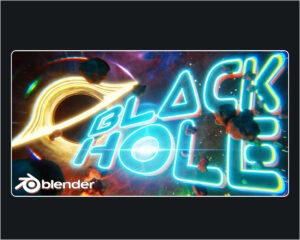
- CREATE VIRAL TEXT ANIMATIONS — Build kinetic typography and animated titles that look straight out of a Netflix intro. (Lecture 8)
- BUILD REAL MOTION GRAPHICS — Design logo animations, lower thirds, and reusable templates pros use on every project. (Lectures 10–13)
- REMOVE ANYTHING FROM FOOTAGE — Use AI-powered Content Aware Fill, masking, rotoscoping, and green screen like a pro. (Lectures 14–18, 22)
- TRACK TEXT ONTO MOVING OBJECTS — Pin graphics to screens, walls, and signs using motion tracking and camera tracking. (Lecture 21)
- GO FULL 3D IN AFTER EFFECTS — Create cinematic 3D text, import 3D models, and light scenes with HDRI and studio lights. (Lectures 23–25)
- AUTOMATE WITH EXPRESSIONS — Use wiggle, loop, time, and posterizeTime to create effects no keyframe ever could. (Lecture 26)
- CREATE TRENDING SOCIAL EFFECTS — Build glitch, shake, zoom punch, and UI animations that perform on TikTok and Instagram. (Lectures 27–28)
- EXPORT & LINK TO PREMIERE PRO — Deliver the right file for YouTube, clients, or social media and master Dynamic Link workflow. (Lectures 29–30)