By Videohive · Openers · Templates & projects · Oct 17, 2026
Overview
Enhance your vertical video storytelling with Vertical Documentary Openers, a collection of 5 unique After Effects templates designed by Openers_Collection. Perfect for mobile platforms like Instagram Reels, TikTok, and YouTube Shorts, these openers offer distinct visual identities to complement your creative narrative.
What’s Included
5 Individual After Effects Projects: Pre-configured in a vertical 1080×1920 layout.
Distinct Visual Styles: Unique aesthetics tailored for various documentary themes.
Modular Structure: User-friendly layout that makes scenes easy to edit, rearrange, and extend.
Video Tutorial: Step-by-step guidance included to help you customize your project quickly.
Template Styles
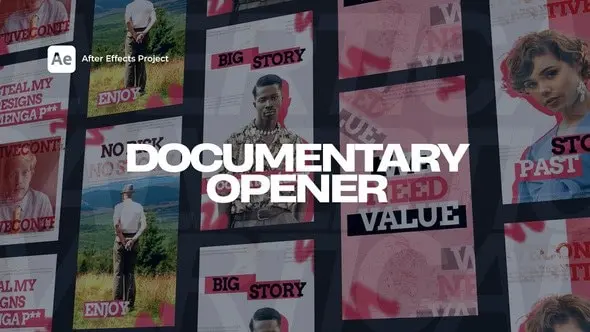
Minimal Documentary Opener: Clean design with smooth typography and elegant motion—perfect for interviews and personal stories.
Vintage Film Intro: Old-school film grain aesthetic with nostalgic transitions for historical or biographic content.
Bold Typographic Opener: High-impact text animations paired with fast transitions—great for social issues or culture-related stories.
Nature & Travel Opener: Cinematic flow with atmospheric transitions—ideal for travel vlogs or eco-documentaries.
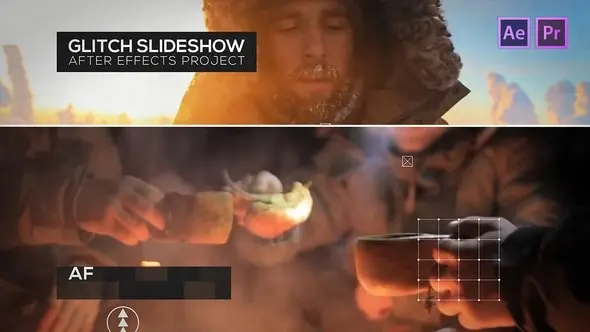
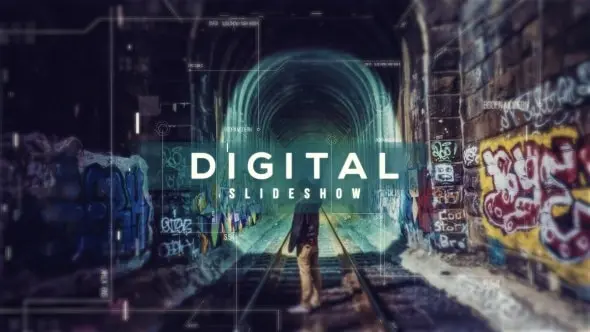
Urban Story Opener: Gritty, glitch-infused style designed for modern, city-based narratives.
Project Specifications
Resolution: Full HD Vertical (1080×1920)
Duration: 10–15 seconds per opener
Plugin Requirements: None (No plugins required)
Software Compatibility: 100% After Effects—fully customizable
Expression Universalizer: Enabled (Works seamlessly with After Effects set to any language)
Perfect For
Documentary intros and social media promos
Instagram Reels, TikTok, and YouTube Shorts storytelling
Personal vlogs, mini-docs, and journalistic video content
Vertical short films, video podcasts, and interview series
Music & Fonts
Please note that the music tracks and fonts previewed in the promotional video are not included in the main download file. Direct download links for all assets used can be found within the included project documentation.