Geometry nodes Procedural stitches
Overview
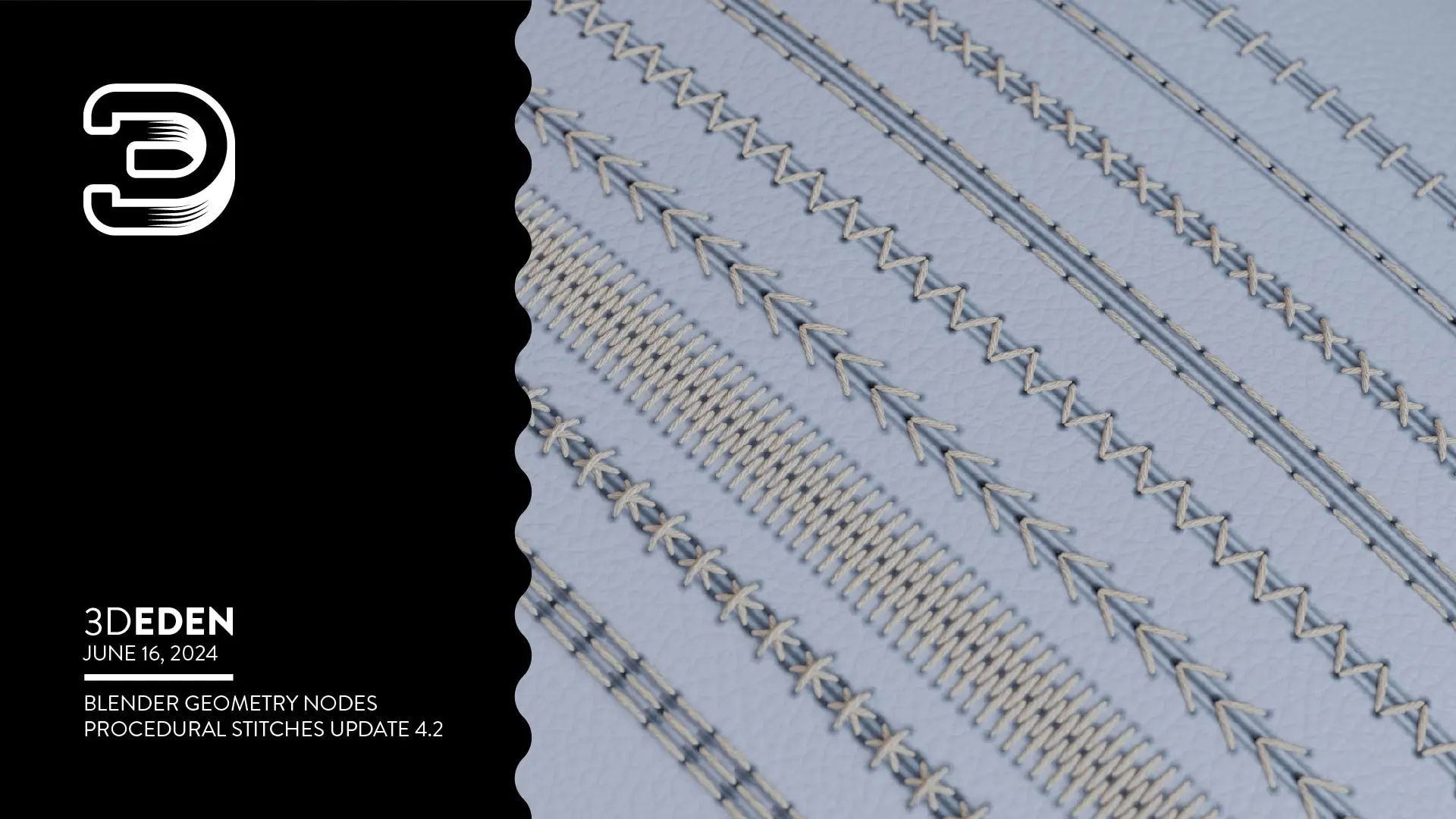
This Blender course teaches you how to use geometry nodes to create procedural stitch patterns on your 3D meshes. The stitch generator allows you to select any object and apply customizable stitching with full control over parameters including rotation, distance, length, height, thread thickness, seam and crease appearance, and materials. You can also adjust rotation randomness to create varied, natural-looking results.
The course covers five standard stitch patterns—line stitch horizontal and vertical, cross stitch, double line stitch, and V-stitch in both horizontal and vertical orientations—each adjustable to generate new variations. You can draw stitches directly onto your models or work with edge loops and curves for precise stitch placement, making the tool flexible for different modeling workflows.
How access works
Starter, Pro or Lifetime.
One tap — plan linked to your account.
Open the Mini App or your Profile.